
How to play
Roll, balance, finish.
The rules of SkyRoll: Edge as they work in the current development build. Everything here may change before release.
Two ways to roll
The game is played in landscape, with exactly two control modes.
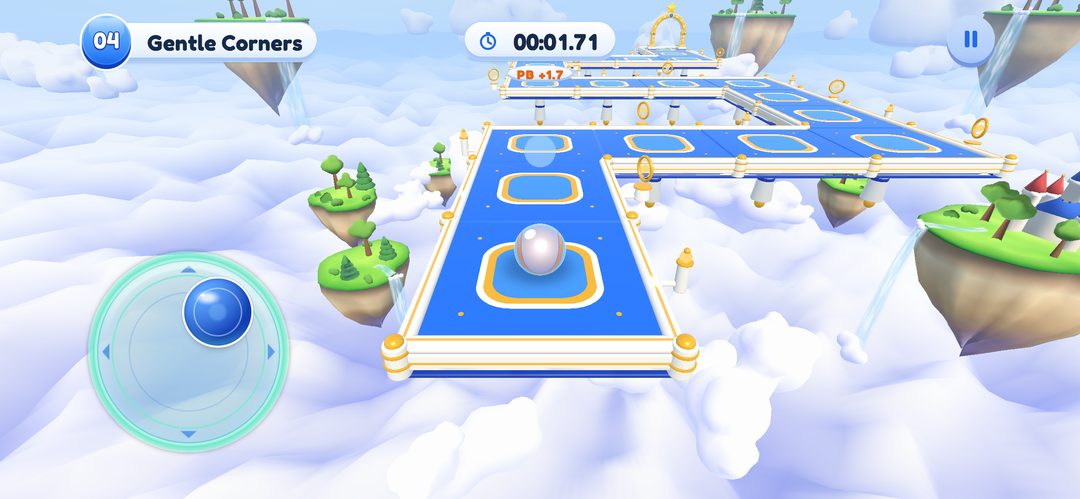
- Touch Drag is the default. Drag a finger anywhere on the screen to roll. The further you drag, the faster the ball goes.
- Joystick is a fixed thumb stick in a lower corner of the screen. Push it further to roll faster. Choose the left side (the default) or the right side.
Switch modes in the main menu under Settings, in the Control Mode block. The same settings are available from the pause menu, and a change applies straight away, even in the middle of a level.
What happens in a run
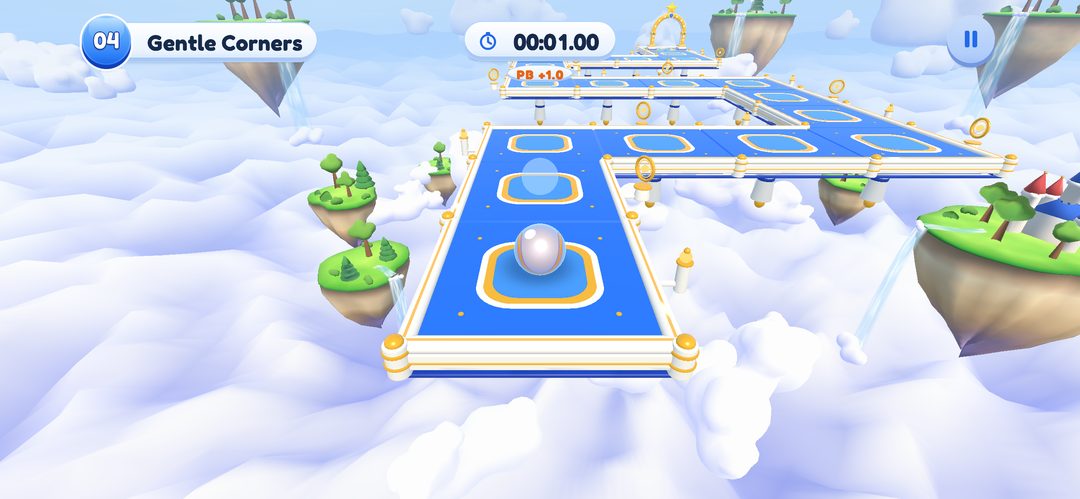
Each attempt starts with a 3-2-1-Go countdown. The on-screen display shows the level number and name, a timer, how you compare with your personal best, and the pause button.
Steer along the track, keep the ball from rolling off the open edges (there are no walls), and cross the finish gate. When you finish, the result screen shows your stars and time, with buttons to go home, retry or continue to the next level.
The game can show a ghost of your own best run. It is on by default, and there is a Ghost racer switch in Settings. The ghost is always your own run, never another player’s.
How stars work
Every level has two target times, par and gold. Your finish time decides the stars:
- 3 stars at or under the gold time
- 2 stars at or under the par time
- 1 star for any other finish
For example, in Level 1, First Roll, par is 15 s and gold is 6 s. In Level 19, Garden Circuit, par is 45 s and gold is 20 s. A finished level is always worth at least one star.
A level never gives more than three stars, and a chapter of ten levels offers up to 30. The stars depend only on your finish time. Par and gold times for every level are in the level explorer.
Unlocking levels and chapters
Inside an open chapter, the first level is open, and each next level opens after you finish the one before it.
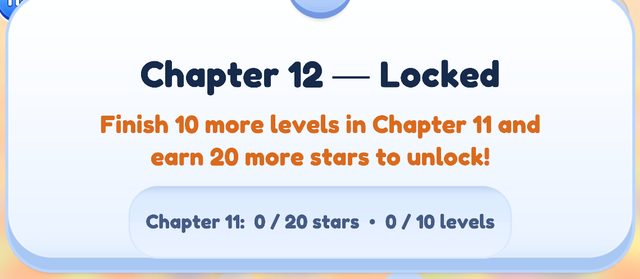
A new chapter opens when you have finished every level of the previous chapter and collected at least 20 of its 30 stars. Chapter 1 is open from the start. Purchases do not affect unlocking, and once a chapter is unlocked it stays unlocked.
The current development build has 14 playable chapters. Chapter 15, Sky Crown, is shown as “Coming soon” and cannot be opened.
Falls and checkpoints
Roll off the track or drop below it and the attempt fails. Retry starts the level again from the beginning.
Levels have checkpoints. A checkpoint is the spot where you can continue after a fall by watching a rewarded ad (VIP members continue instantly), once per run, if you reached one and an ad is ready. A checkpoint does not save your progress inside the level.
Retrying costs 1 energy from level 6 on; levels 1 to 5 are always free. Energy, ads and VIP are still being set up and may change before release.
Pause menu
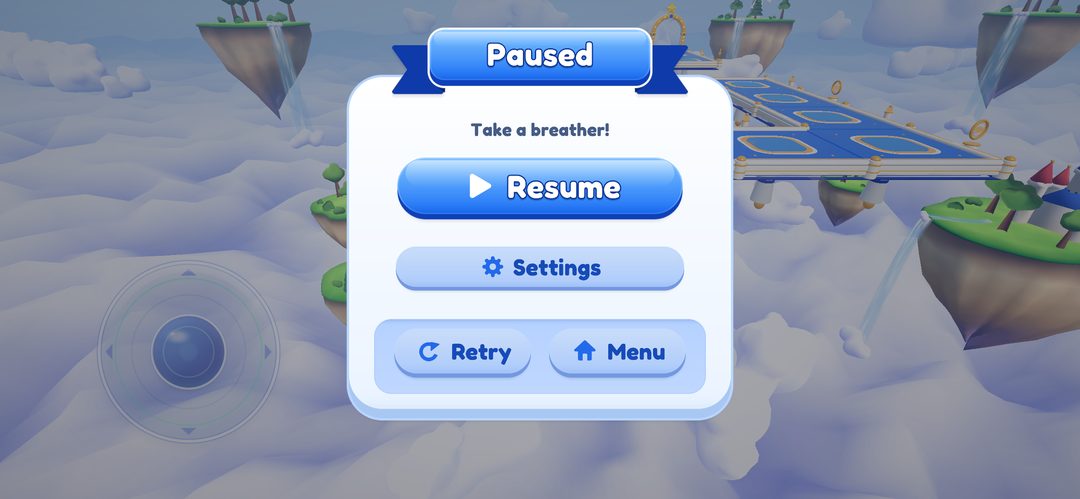
The pause button opens “Paused — Take a breather!” with four choices: Resume, Settings, Retry and Menu. Retry is also on the result screen.
Obstacles you will meet
New obstacle types arrive chapter by chapter. These are the ones implemented in the current development build:
- Jump pads Trampoline-style pads. Levels with jump pads Chapters 1–2
- Pegs Small peg obstacles on the track. Levels with pegs Chapters 1–2
- Moving obstacles Obstacles that slide slowly from side to side. Levels with moving obstacles Chapters 2
- Ferries Moving platforms that carry the ball. Levels with ferries Chapters 3, 5–13
- Lifts Moving platforms that raise or lower the ball. Levels with lifts Chapters 3–4, 6–14
- Moving bridges Bridges that slide out and back. Levels with moving bridges Chapters 3
- Retracting bridges Bridges that slide out and back. Levels with retracting bridges Chapters 5–9
- Moving blockers Moving platforms that slide into the path. Levels with moving blockers Chapters 5–8, 11
- Rotors and sweepers Rotating blades and sweeper arms. Levels with rotors and sweepers Chapters 3, 5–14
- Rotating discs Rotating, rolling disc platforms. Levels with rotating discs Chapters 4–14
- Energy gates Timed gates: open, then a warning, then closed. They never close on the ball. Levels with energy gates Chapters 5–8
- Currents Water currents that push the ball, constant or pulsing. Levels with currents Chapters 6
- Pufferfish bumpers Fish that swell up and push the ball away. Levels with pufferfish bumpers Chapters 6
- Conveyor belts Belts that carry the ball along. Levels with conveyor belts Chapters 7, 11–14
- Pendulum hammers Swinging hammers. Levels with pendulum hammers Chapters 7, 10–14
- Crumbling tiles Tiles that shake and fall away, then come back. Levels with crumbling tiles Chapters 8–12
- Plates and doors A pressure plate opens a stone door. Levels with plates and doors Chapters 8, 10–11
- Ice Slippery surface with less grip. Levels with ice Chapters 9
- Snowballs Snowballs that roll on a schedule, with a warning first. Levels with snowballs Chapters 9
- Bounce mushrooms Mushroom caps that bounce the ball onto a visible platform. Levels with bounce mushrooms Chapters 10
- Vine bridges Vines that grow or retract, started by a plate. Levels with vine bridges Chapters 10
- Heat vents Vents that warn, blast and cool down. They push the ball back; they do not destroy it. Levels with heat vents Chapters 11
- Heat platforms Platforms that warm up, glow, drop away and return. Levels with heat platforms Chapters 11
- Magnetic fields Glowing zones that gently pull the ball in or push it away. The pull is capped, so you can always steer out. Levels with magnetic fields Chapters 12, 14
- Domino chains Roll over a pad and a row of dominoes topples one after another. When the last one lands, linked parts such as a drawbridge or a door activate. Levels with domino chains Chapters 12
- Spotlight bridges Bridge sections that are solid only while a moving spotlight shines on them. Sections blink as a warning before they vanish. Levels with spotlight bridges Chapters 13–14
- Mirror portals Mirrors in linked pairs: roll into one and come out of its partner, keeping your speed. Levels with mirror portals Chapters 13–14
- Rotating rooms A whole section of the library turns by a fixed step. Rings glow first as a warning, then the room turns and lines up a new route. Levels with rotating rooms Chapters 14
- Gravity flip Zones where “up” changes for the ball, so it can roll along walls and ceilings. Only the ball is affected. Levels with gravity flip Chapters 14
Gameplay
Watch it roll
Three short runs from the current development build. Press play; nothing loads until you do.
Level data comes from the current development build and may change before release.